Features
Visitor heatmap
The visitor heatmap shows where in the world your visitors come from. Each country with visits is a tile with its flag, its sessions and visitors, and a bar for how busy it is compared with your busiest country. It is for anyone who wants to see, at a glance, which countries matter most to a website.
TraceFlow does not make click, scroll or mouse-movement heatmaps. To see how one visitor used a page, watch their session replay.
Where to find it
- Overview: open the website in the sidebar and scroll to Visitor Map, Visitor Heatmap and Geography.
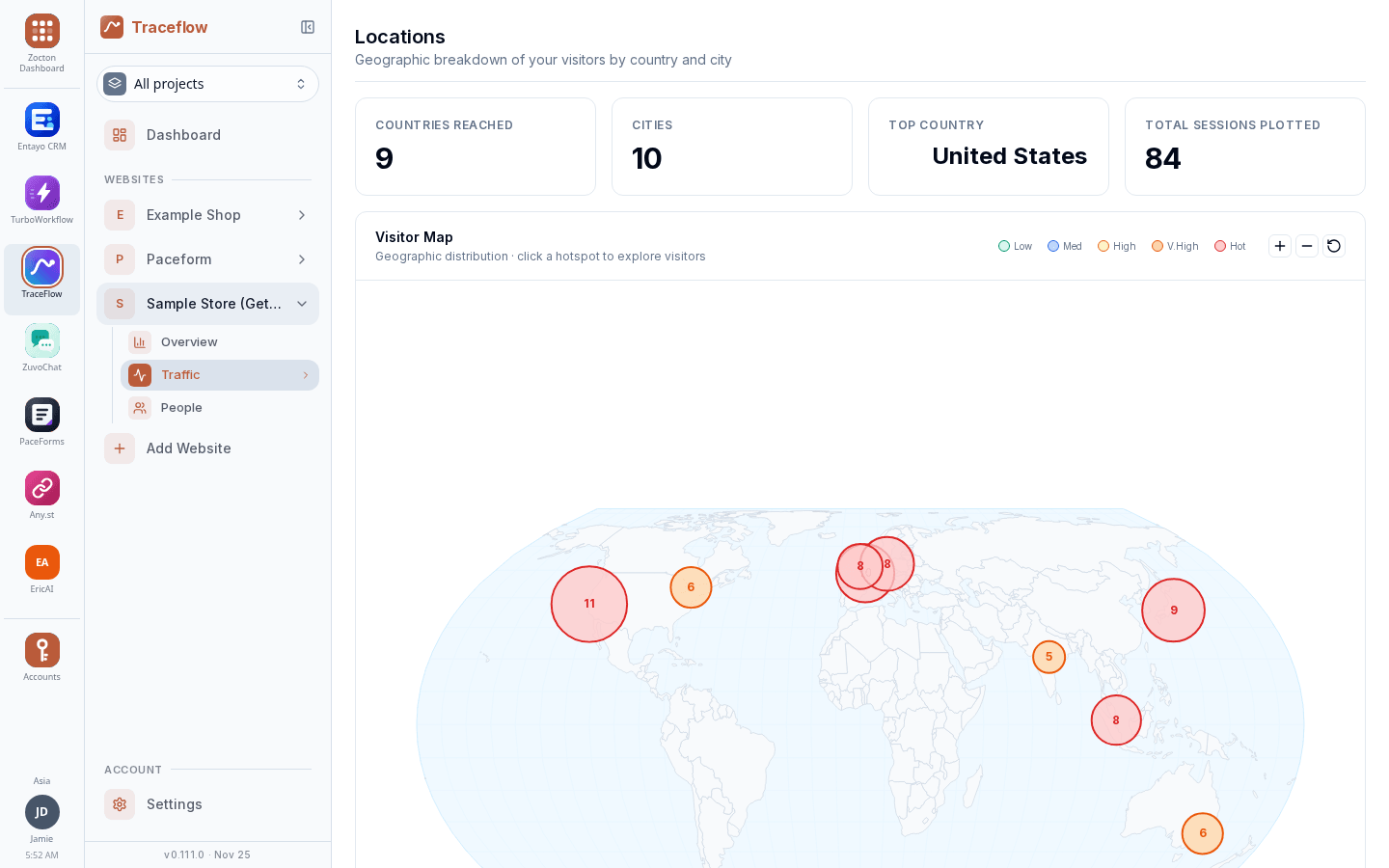
- Traffic → Locations: the same map and heatmap, with stat cards, countries and cities, and World Distribution by region.
Before you start
- The website has visits in the period you pick. Visits with no known location count as Unknown.
Read the heatmap
- Open the website's Overview, or Traffic and scroll to Locations.
- Pick a period at the top.
- Read the Visitor Heatmap tiles. The colour says how busy each country is compared with your busiest one.
- On the Visitor Map, click a country's marker to see its visitors and sessions, then View Visitors to open the People page filtered to that place.
Options
| Colour | Label | Share of your busiest country |
|---|---|---|
| Green | Low | Under 5% |
| Blue | Medium | 5% or more |
| Amber | High | 15% or more |
| Orange | Very High | 30% or more |
| Red | Hot | 50% or more |
| Control | Where | What it does |
|---|---|---|
| Zoom in, Zoom out, Reset view | Visitor Map | Moves around the map |
| View Visitors | A country on the map | Opens People → Visitors for that country and city |
| A country or city row | Geography, Locations | Opens People → Sessions filtered to it |
Good to know
- The scale is relative. Your busiest country is always red, however many visits it has.
- Locations on the Traffic page add Countries Reached, Cities, Top Country and Total Sessions Plotted, and group sessions by region (Americas, Europe, Asia, Africa, Oceania).
- "No geographic data available for this period" means no visit in the period has a location yet.
Related
Last modified on