Features
Website analytics
TraceFlow shows each website's visitors, sessions and page views, where they came from, where they are and what they use. It is for anyone who wants to know how a website is doing, without setting up reports.
Where to find it
- One website: open TraceFlow, click the website in the sidebar, then Overview or Traffic.
- All websites together: Dashboard in the sidebar, or Analytics for a combined view with a Websites breakdown and a Projects breakdown. The project switcher in the sidebar narrows it to one project.
Before you start
- The website is added and verified on the Zocton Dashboard, with its install script on every page — see Install tracking snippet.
Read a website's Overview
- Click the website in the sidebar. Its Overview opens.
- Pick a period at the top: Today, Last 7 days, Last 30 days, Last 90 days, Last 12 months, This Month, Previous Month, This Quarter, Previous Quarter or Custom Range.
- Read the four cards at the top. Each shows the change against the period before.
- Click a card, a row or a chart slice to see the sessions or visitors behind it.
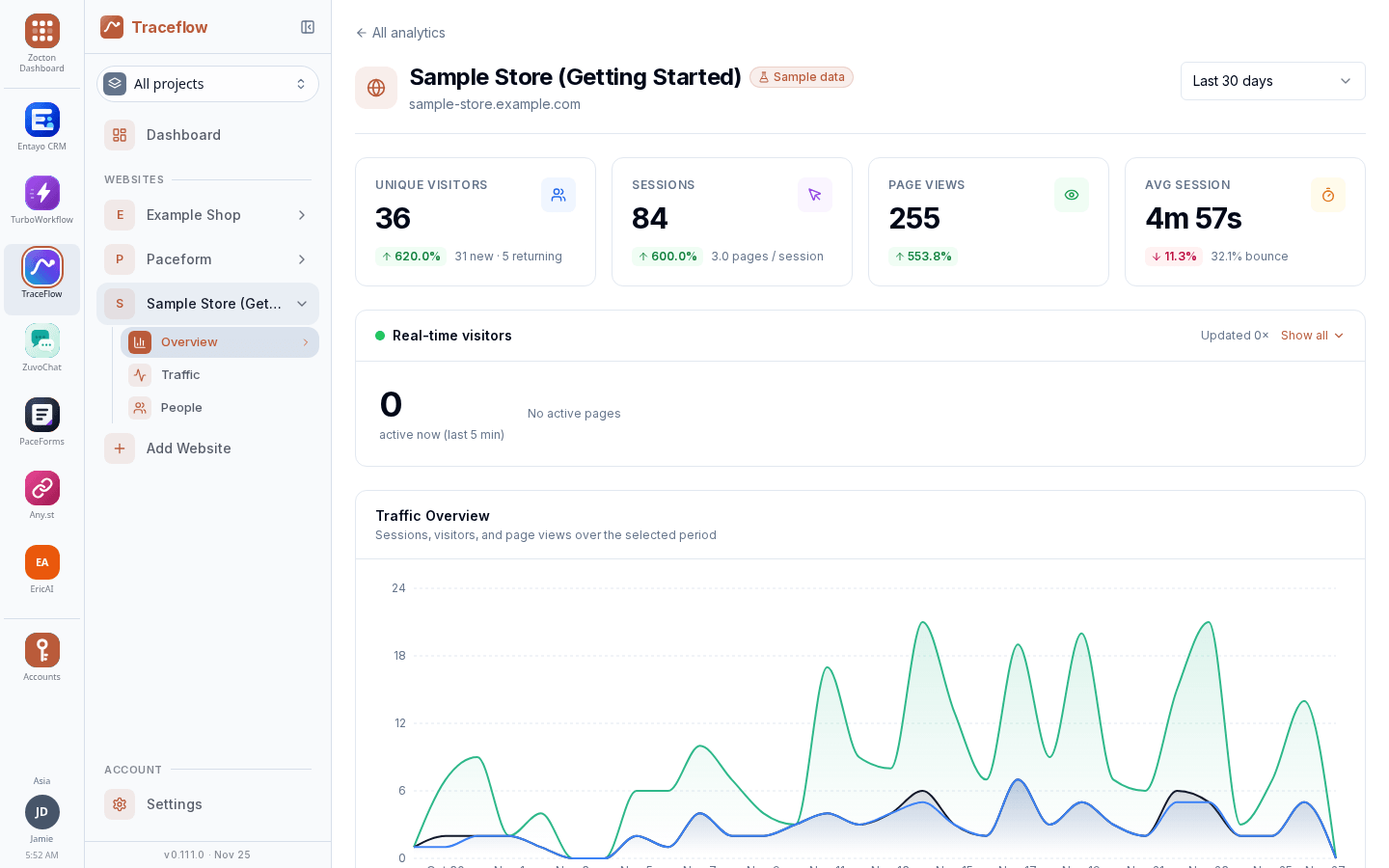
The Overview has, from the top:
| Section | What it shows |
|---|---|
| Unique Visitors | Visitors in the period, with how many were new and returning |
| Sessions | Visits in the period, with pages per session |
| Page Views | Pages viewed in the period |
| Avg Session | Average visit length, with the bounce rate (visits of one page) |
| Real-time visitors | Who is on the website now (last 5 minutes) — Show all opens the full live view |
| Traffic Overview | Sessions, visitors and page views over the period |
| Top Pages, Top Referrers | The busiest pages and the sites that sent visitors |
| Visitor Map, Visitor Heatmap, Geography | Where visitors are — see Visitor heatmap |
| Devices, Browsers, Operating Systems | What visitors use |
| Hot Visitors | The most active visitors in the period |
| Recent Sessions | The latest visits |
| Website Management | The website's settings — see Several websites |
Watch real-time visitors
- On the Overview, find Real-time visitors. It shows visitors active in the last 5 minutes and their pages, and refreshes by itself every few seconds.
- Click Show all for the full live view: Active Visitors, Active Sessions, Recent Page Views, Top Active Pages, Top Active Countries and the Live Event Stream.
- Click Show less to fold it again.
Read the Traffic page
Click Traffic under the website in the sidebar. It is one page with four sections:
| Section | What is in it |
|---|---|
| Pages | Top Pages by Views and Top Landing Pages (the first page of a visit) |
| Sources | Top Referrers, UTM Sources and Campaigns (from utm_source and utm_campaign in your links) |
| Locations | Countries Reached, Cities, Top Country, the visitor map, the heatmap, countries and cities, and World Distribution by region |
| Devices | Device Type, Browser and Operating System |
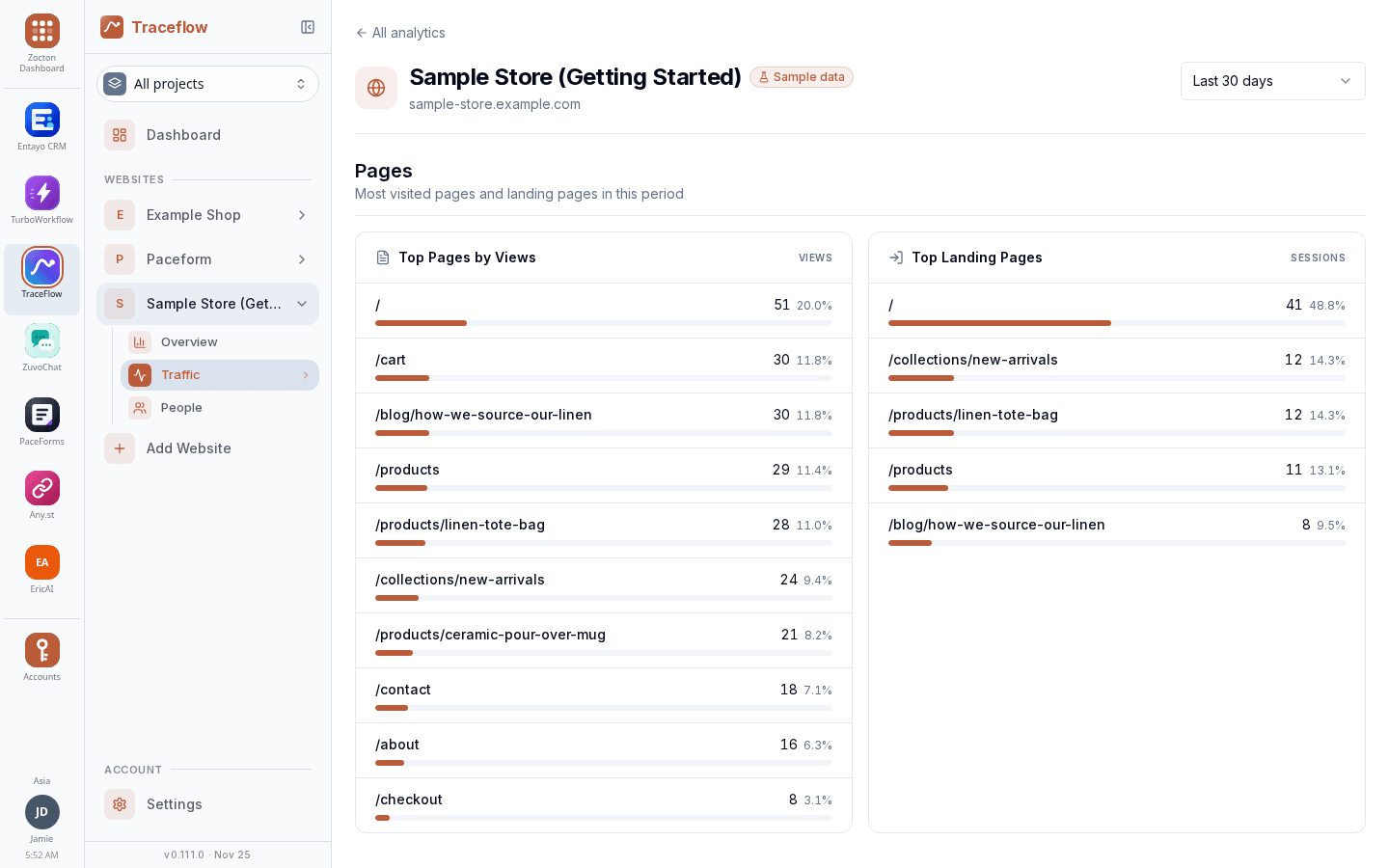
Click any row — a page, referrer, source, campaign, country, city, device, browser or operating system — to open People → Sessions filtered to it.
Options
| Option | Where | What it does |
|---|---|---|
| Period | Top of every page | Sets the period for every card, chart and list |
| Custom Range | Period picker | Pick a start and an end date |
| Show all / Show less | Real-time visitors | Opens or folds the full live view |
| Project switcher | Sidebar | Shows All projects, or one project |
Good to know
- A session is one visit on one device. It ends after an hour with no activity; the next page after that starts a new session.
- A visitor is one browser, or one person once they are known by email. A known person on two devices is one visitor.
- Bots (crawlers, link previews) are recognised and kept apart from real visitors on the People page.
- Location comes from the visitor's network address, looked up when the visit arrives. TraceFlow keeps the country, region, city and postcode, not the address itself.
- The period counts by day in UTC.
- Nothing shows? Check that the website is verified, and that you are not looking at visits from your own computer — those are ignored by default.
Related
Last modified on