Identify visitors
A visitor is anonymous until TraceFlow knows their email address. Once it does, the visitor is known: their visits — earlier ones too — carry their email, and they are sent to your Entayo CRM. This page is for anyone who wants to know who visited, not just how many.
Where to find it
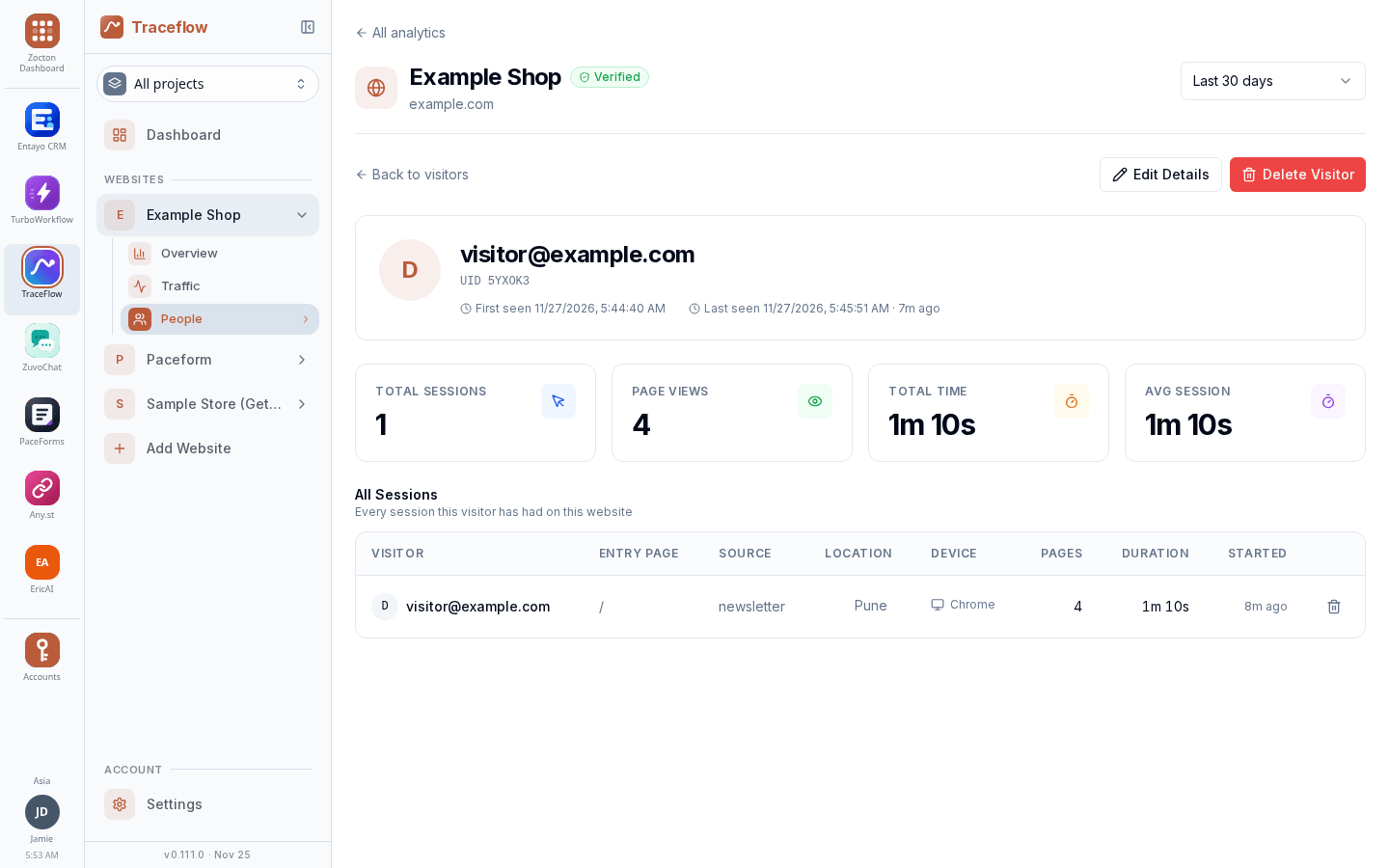
Known visitors show by name or email on the website's People → Visitors list, on their own page and on each of their sessions. Unknown visitors are folded below the list.
Before you start
- The website's install script is on the page and the website is verified — see Install tracking snippet.
Four ways to name a visitor
| Way | What you do | Good for |
|---|---|---|
| An email link | Add utm_email=<address> to links you send | Emails and campaigns |
| Your own page | Call window.traceflow.identify(email) | Sign-up, log-in and your own forms |
| A PaceForms form | Nothing — it is automatic | Forms made with PaceForms |
| By hand | Edit Details on the visitor's page | People you already know |
Name visitors from an email link
- Add
utm_emailwith the person's address to each link to your website. For example:https://example.com/pricing?utm_source=newsletter&utm_campaign=autumn&[email protected] - When Ana clicks it, TraceFlow names her visitor
[email protected]. - From then on, every visit from that browser is Ana's, even without the link.
Emails sent with TurboWorkflow do this for you: every link carries utm_email with
the recipient's address.
Name visitors from your own page
The install script gives every page window.traceflow.identify(email). Call it when your
page learns who the visitor is — after a sign-up, a log-in or a form submit:
Code
- Add the call where your page knows the email.
- Submit the form once yourself.
- Open People → Visitors: your visitor now shows the email.
identify answers true when the email is accepted, and false when it is not an email
address. It does not count an extra page view, and calling it again with the same email
sends nothing.
Name visitors from a PaceForms form
When someone submits a PaceForms form with an email answer, TraceFlow names their visitor on the project's Paceform website. There is nothing to set up — see CRM and other Zocton apps.
Name a visitor by hand
- Open the visitor's page and click Edit Details.
- Type their Email, and if you like a First name and Last name.
- Click Save.
See Visitors.
Options
| Option | What it does |
|---|---|
utm_email in a link | Names the visitor who opens the link |
window.traceflow.identify(email) | Names the visitor on the page; answers true or false |
| Edit Details | Adds, changes or clears the email and names by hand |
Good to know
- The browser remembers. The email is kept in the visitor's browser storage, so later visits from the same browser are the same person. A visitor who clears their storage, or blocks it, starts again as anonymous.
- One person, one visitor. When an anonymous visitor is named with an email another visitor on the website already has, their visits join that visitor. A known visitor on a laptop and a phone is one visitor with sessions from both.
- A known visitor keeps their email. When the same browser later brings a different email, TraceFlow does not rename that visitor; the new email becomes a visitor of its own.
- Anyone can put an address in a link.
utm_emailis taken as it comes, so a shared or forwarded link can name the wrong person. Fix it with Edit Details. - A name alone does not make a visitor known. Only an email does.